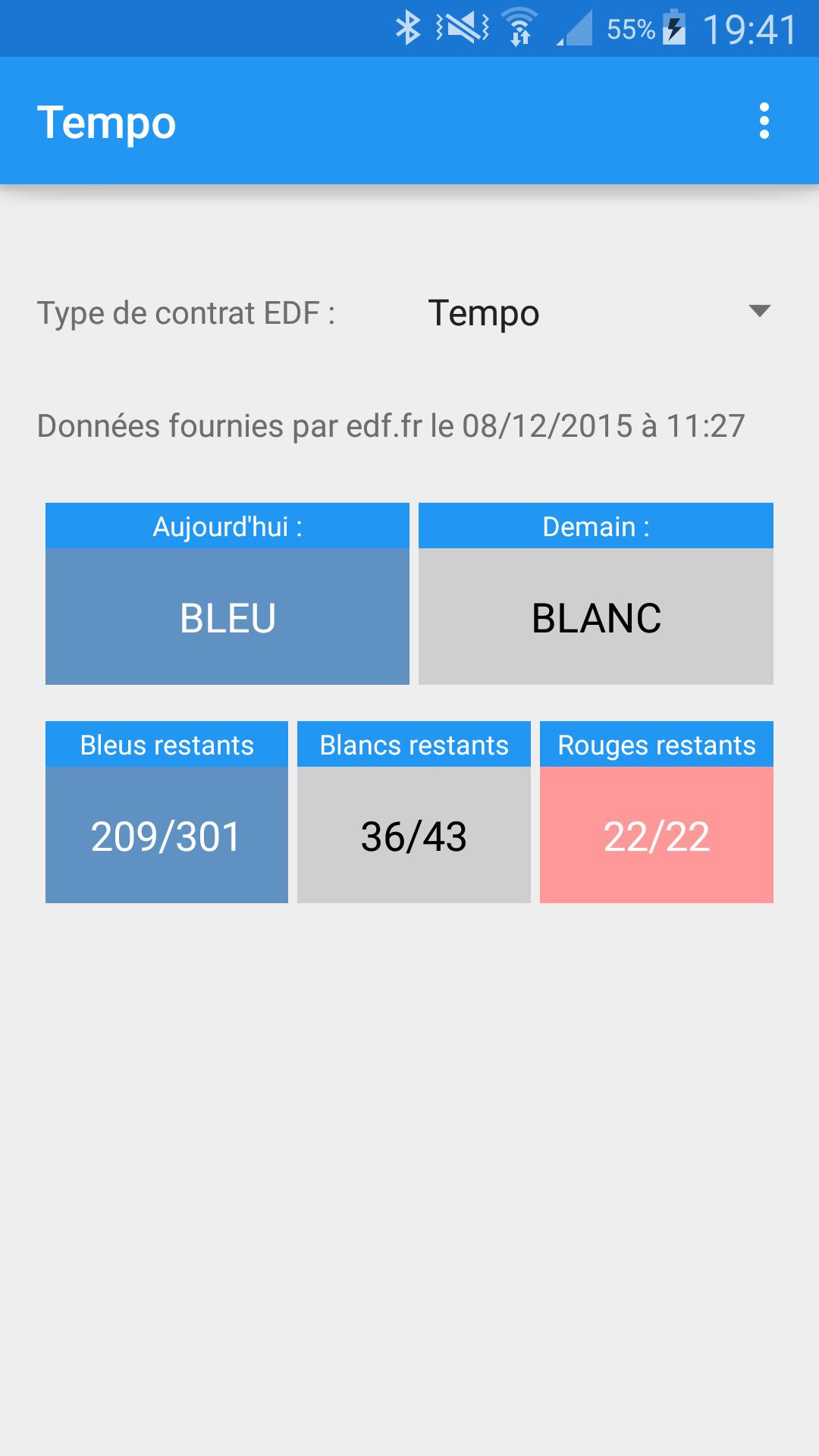
A widget to see the color Tempo EDF on your Android home screen.
Display widgets on your Android home screen allowing you to know the Tempo EDF color of the day and the next day.
The app displays EDF information for Tempo and EJP services on your Android device and provides widgets for your home screen so you can check today's and tomorrow's color at a glance.
The app also allows you to receive notifications on your Android device before red or white days for Tempo service users, or before EJP days. (Configurable).
Notifications may not be compatible with your smartphone's power saving mode.
Tempo and EJP data are retrieved from the EDF site via your device's internet connection. The information provided by the EDF site is not contractual and has no binding value.
Tempo Widget is not an official EDF application.
Note: The app will install the widgets into your Android widget library. Then you will have to place them on your home screen manually. Follow the procedure detailed below if you are unable to carry out this operation.
How to place widgets:
- Long press on the home screen on which you want to position the widget
- Click "Widgets" to enter the widget library
- Browse the library until you find the "Tempo" widgets
- Select the widget you want to place by making a long press on it
- Drag the widget to the home screen where you want to place it.
- If you are not satisfied with the result, to resize/reposition or delete the widget, long press on it to bring up these options.
Operation may vary depending on your device and the version of Android used. If necessary, google "How to place a widget on 'your device name'".
The application could be tested on the following devices:
- Honor 9 Lite - Android 8.0 EMUI
- Nexus 6 - Android 7.0 [Emulator]
- Nexus 6 - Android 6.0 [Emulator]
- Samsung Galaxy S4 - Android 4.4 and 5.0
- Samsung Galaxy Tab S 10.5" - Android 4.4 and 5.0
- Samsung Galaxy Tab Pro - Android 4.4
Application permissions:
- Internet and network access: Required to retrieve information from the EDF site
- Vibration: Used for notifications
- Bootable: Allows you to re-schedule the time to check whether to send a red/white/ejp day notification in case of device reboot if you use notifications.
Directions for use:
For the first days of use, if you want notifications, I recommend that you activate blue day notifications (or not ejp) to check that you receive them at the chosen time.
Obviously, you must agree when you launch Tempo for the first time to grant permission to notify the application. If the application has never asked you for authorization, you must manually go to the phone settings to authorize them or check that the application has the rights. This is the case on most recent Huawei and Honor phones.
If you are using a power saving mode (especially those from Huawei, Honor or Sony), notifications will probably not work unless the app is allowed to work in these modes. (A setting which is different for each manufacturer and which I could not detail)
Source code:
https://github.com/Khopa/tempo-edf
Read more